Wordpress taxi & VTC
booking plugin
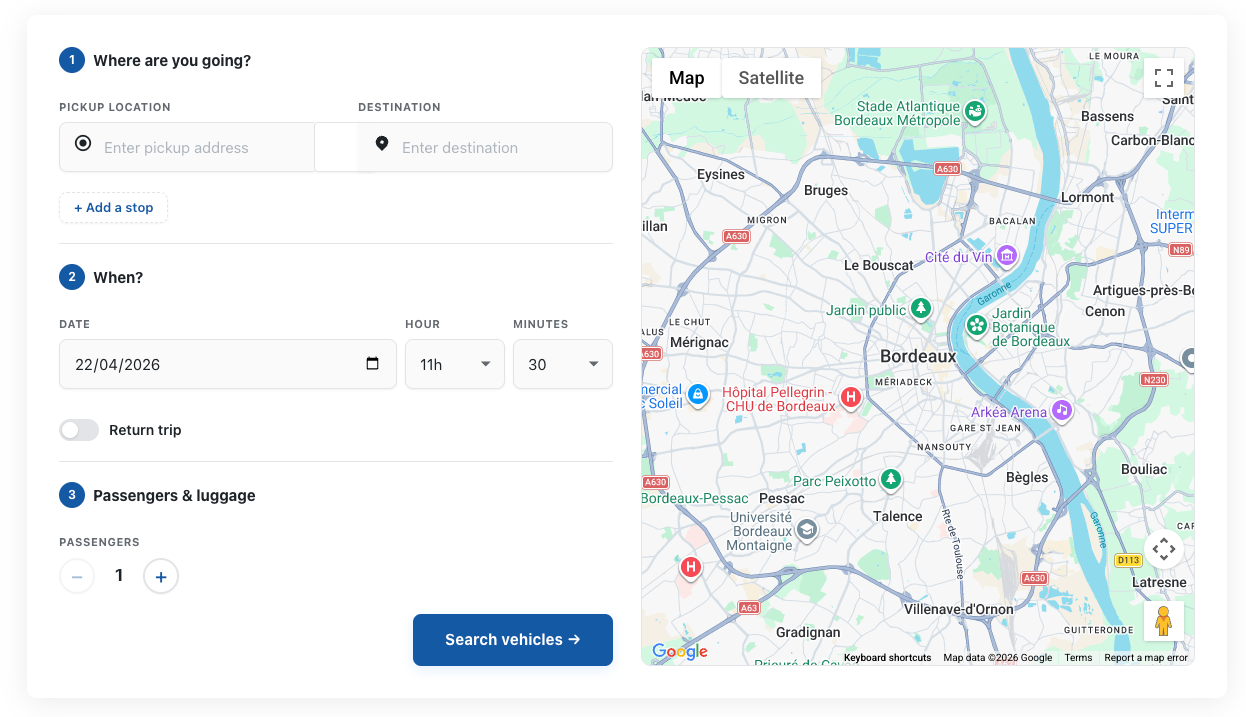
RideCab is a full-featured cab booking plugin built on WooCommerce. Flexible pricing engines, polygon geofences, driver management, PDF invoices, and a beautiful multi-step booking form.
Built for Serious Taxi Businesses
Every feature designed to power serious taxi businesses.
WooCommerce Checkout
Rides go through WooCommerce cart & checkout. Every payment gateway works automatically — Stripe, PayPal, Cash on Delivery, bank transfer.
4 Pricing Engines
Per km, per hour, tiered distance, and tiered hourly pricing — each vehicle can use a different strategy with full configurability.
Polygon Geofences
Draw pickup and dropoff zones directly on a Google Map. Apply fixed fares, surcharges, or route restrictions per zone pair.
Driver Calendar
FullCalendar-powered booking calendar with color-coded driver events. Drag-to-assign drivers to bookings at a glance.
PDF Invoices
4 professional invoice templates (Classic, Modern, Minimal, Corporate). Auto-generate on booking completion and email directly to customers.
Security First
Every query uses $wpdb->prepare(). Nonce + capability checks on every action. Zero PHP notices with WP_DEBUG.
Driver Management
Create driver profiles linked to WP users. Assign bookings, track availability, and display driver colour-coded on the calendar.
Surge Pricing Rules
Time-based, date-based, and day-of-week surcharges with multiplier or flat rate. Vehicle-specific application with opt-out checkboxes.
Multi-Form Support
Create multiple booking forms with independent settings — different colors, time intervals, vehicle lists, and map defaults per form.
Custom Email Notifications
Automatic branded emails sent to the admin and the customer as soon as a new booking is placed — instant notification with full booking details and fare breakdown.
How It Works
From installation to live bookings in three simple steps.
Install & Configure
Upload the plugin ZIP, activate it, and configure your pricing strategy, vehicles, and Google Maps API key in the Settings panel.
Add the Shortcode
Place [ridecab_booking_form] on any page. The multi-step form loads only on that page — no global performance hit.
Accept Bookings
Customers book online and pay through WooCommerce. Manage everything from the RideCab admin dashboard — bookings, drivers, invoices, and calendar.
The Right Fare for Every Business Model
Each vehicle type can use a different strategy. Mix and match freely.
Per Kilometre
+ (min × per_min)
Classic distance-based pricing. Set a base fare, per-km rate, and optional per-minute charge for driving time.
Per Hour
× multiplier
Ideal for airport transfers or hourly hires. Uses Google Maps driving time automatically.
Tiered Distance
+ optional per_min
Different rates per distance band — e.g., €3/km for 0–5 km, €2/km for 5–20 km. Last band extends indefinitely.
Tiered Hourly
customer selects hours
Customer picks their booked hour count in the form. Ideal for half-day or full-day hire packages.
Override Any Fare with
Zone-Based Rules
Draw a polygon around any airport, train station, or business district. Set a fixed fare that overrides all other pricing for that route — no more fare surprises.
Draw pickup & dropoff zones — polygon or circle on Google Maps
Set a fixed fare per vehicle type — completely overrides distance-based calculation
Use "Anywhere" as origin or destination for one-sided rules (e.g., from anywhere to CDG)
Vehicle-specific — apply rules to specific vehicles or all at once
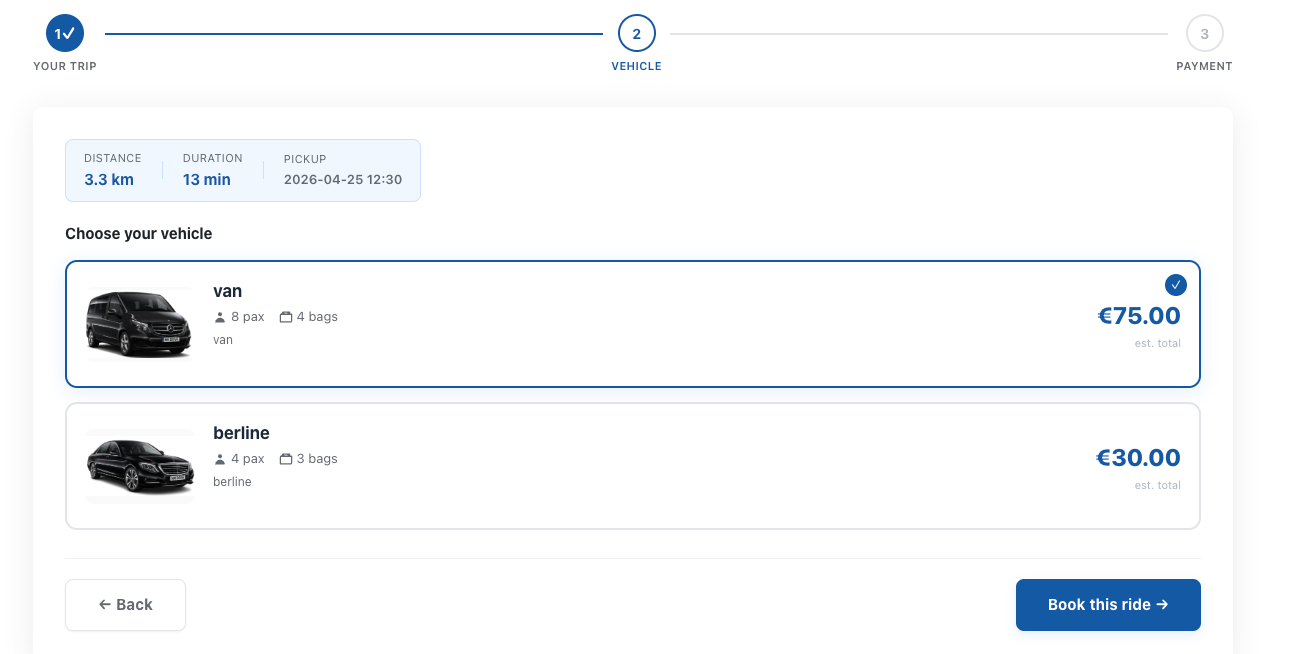
Fare Estimate
Bordeaux Airport → Gare Saint-Jean
See RideCab in Action
Clean, professional UI for both customers and admins.
Frequently Asked Questions
Straight answers about pricing, setup, WooCommerce and Google Maps.
What is RideCab?
RideCab is a premium WordPress plugin for taxi, VTC, limo and chauffeur businesses that turns a WooCommerce site into an online booking system. Customers enter their route in a Google Maps booking form, see the fare and pay at WooCommerce checkout; you manage bookings, drivers, invoices and the dispatch calendar from WordPress.
How much does RideCab cost?
RideCab costs $79, paid once, for one website. The price includes every feature and lifetime updates — there is no subscription and no paid extension. Priority support is an optional one-time add-on of $24, and new purchases are covered by a 14-day money-back guarantee.
Does RideCab require WooCommerce?
Yes, RideCab requires WooCommerce 7.0 or later and is HPOS compatible. WooCommerce runs the cart and checkout, so any WooCommerce payment gateway works for rides — Stripe, PayPal, SumUp, bank transfer or cash on delivery — with no extra configuration.
Do I need a Google Maps API key?
Yes, RideCab needs Google Maps API keys for address autocomplete, route distance and drawing zones. Create two keys in Google Cloud Console: a browser key with the Maps JavaScript, Places, Geocoding and Directions APIs, and a server key with the Distance Matrix and Geocoding APIs.
How do I install RideCab?
Install RideCab in five steps:
- Upload ridecab.zip in Plugins → Add New → Upload Plugin and activate it.
- Enter your licence key in RideCab → License.
- Add your Google Maps API keys in RideCab → Settings → Maps.
- Create a vehicle and its pricing type in RideCab → Vehicles.
- Paste the shortcode [ridecab_booking_form] on any page.
Can I try RideCab before buying?
Yes. The live demo lets you book a test ride with the real booking form, and the documentation covers every setting. After purchase you still have 14 days to request a refund.
Launch Your Taxi Platform Today
Complete documentation, ready-to-go translations, and lifetime updates included with every purchase.